
Stream servers
A stream server is where your encoder sends video, and where OBS picks it up: BELABOX Cloud, your own MediaMTX or SRT Live Server, a hosted ingest, … NOALBS doesn’t receive your video. It reads the server’s stats URL once a second to see the bitrate and latency of your feed.
Manage them on a switcher’s Stream servers page.
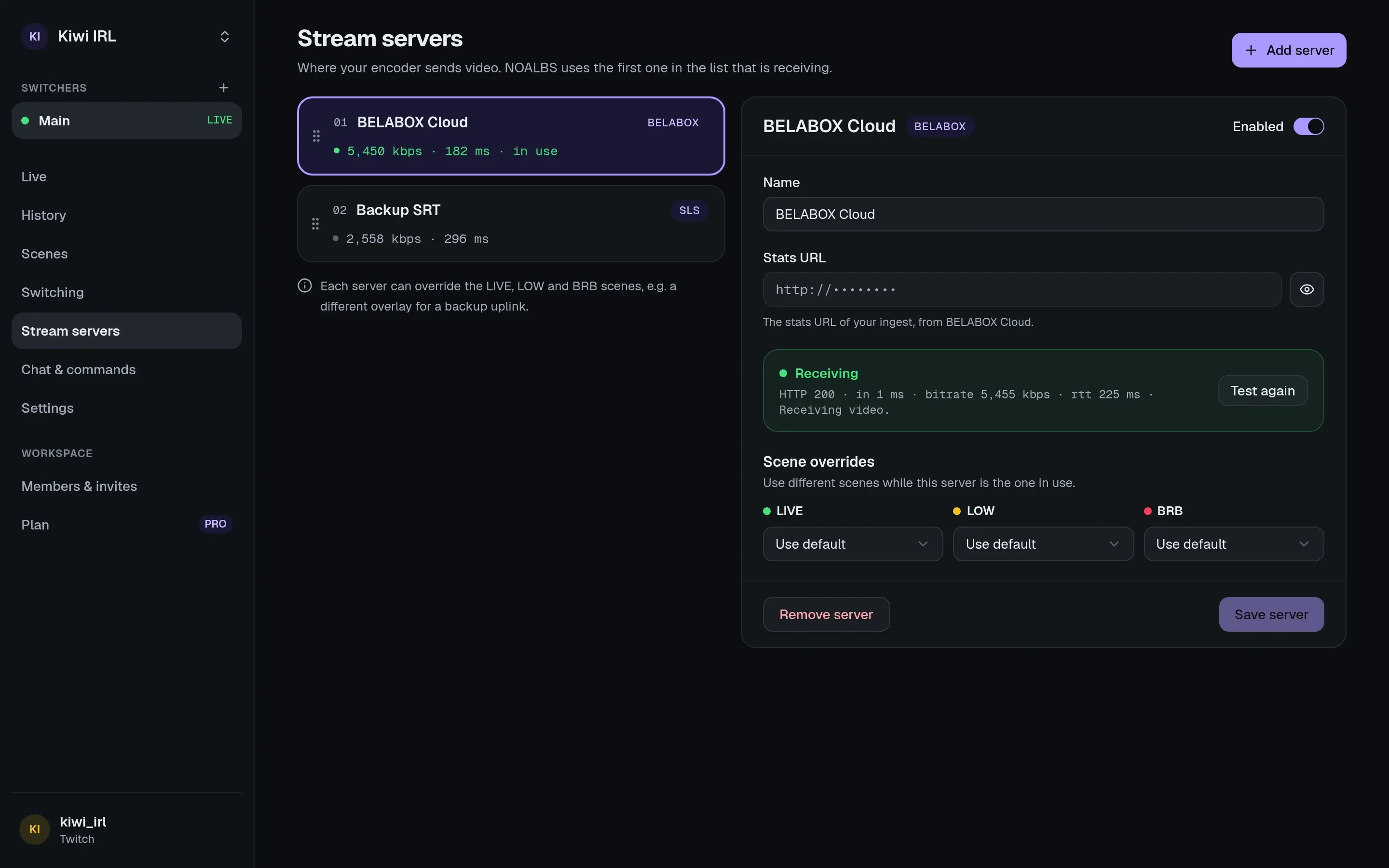
Adding one
Section titled “Adding one”Press Add a stream server and fill in:
- Kind: the server software. Each kind reports its stats differently; see stream server kinds for what each needs.
- Stats URL: the address of its stats page or API.
- Kind-specific settings, for servers that carry several streams: which publisher, application or stream key is yours. Some kinds also take a username and password or an API key. Passwords and keys are stored encrypted and never shown again.
Test connection fetches the stats URL once from NOALBS Cloud and says what it found. If it works there, the switcher can read it too.
Stats URLs often contain a key, so the dashboard shows only the start of them until you reveal them (handy when the dashboard is on stream), and only people who can manage the switcher see them at all.
Several servers: backups and priority
Section titled “Several servers: backups and priority”You can add more than one server, for example a backup uplink or a second ingest. They’re tried in the order of the list (drag to reorder): NOALBS uses the first server that is receiving video, and its bitrate and latency decide the scene. When it loses the feed, the next one that has a feed takes over.
A server you disable isn’t read and doesn’t count.
All servers are read every second, live or not, so the Live page always shows their numbers.
Scene overrides
Section titled “Scene overrides”Each server can have its own LIVE, LOW and BRB scenes, used instead of the switcher’s while that server is the one in use. For example: a different overlay that says “backup connection”.
When there’s no feed at all, the BRB scene of the server that was last in use is shown.
How many
Section titled “How many”Your plan sets how many stream servers a switcher can have. After a downgrade, servers over the limit keep working; you just can’t add more.