
Scenes
On a switcher’s Scenes page you tell NOALBS which of your OBS scenes to use for each situation. The list comes from OBS, so connect OBS first.
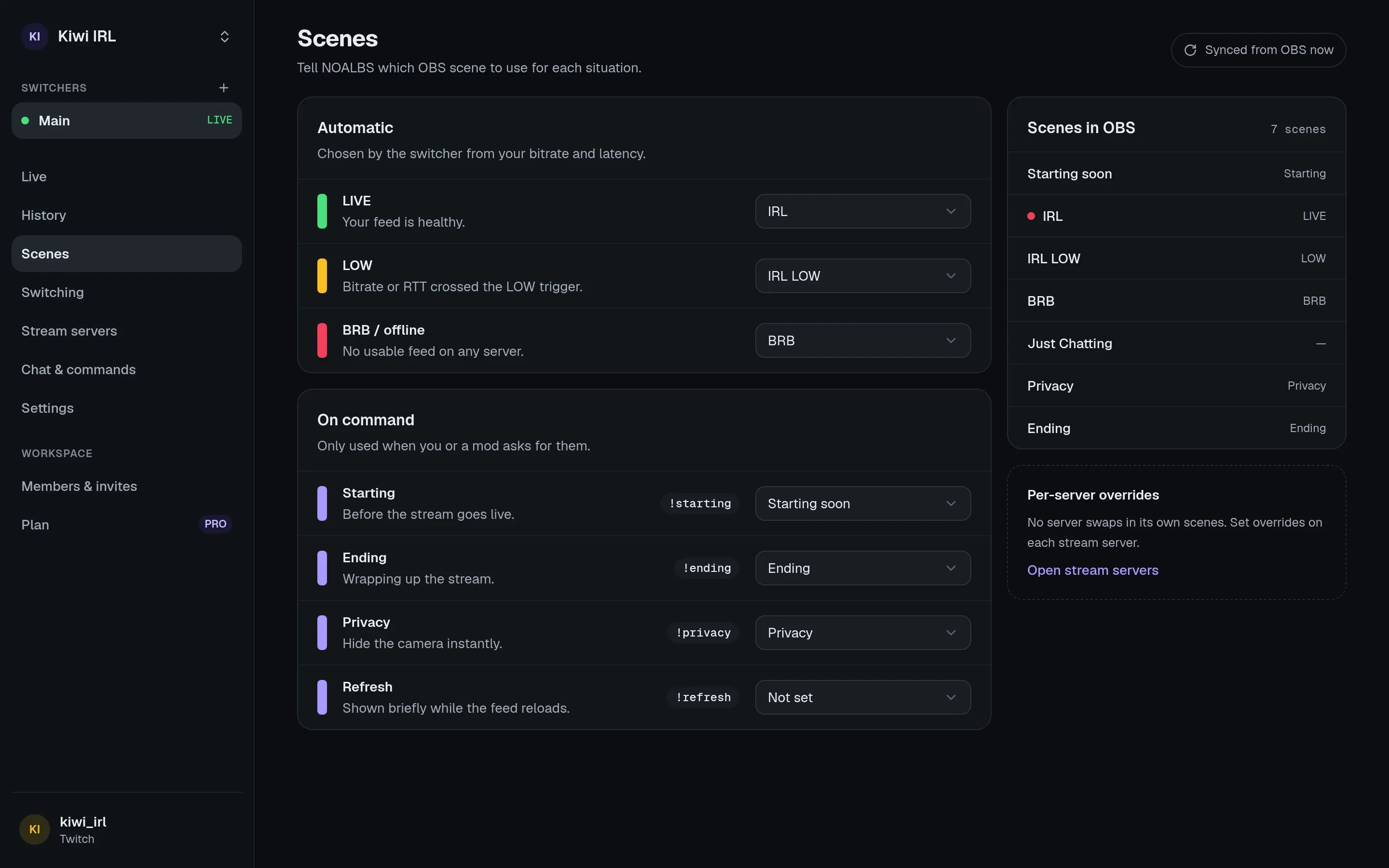
Automatic
Section titled “Automatic”Chosen by the switcher from your bitrate and latency.
| Role | Used when |
|---|---|
| LIVE | Your feed is healthy. |
| LOW | Bitrate or RTT crossed the LOW trigger. |
| BRB / offline | No usable feed on any server. |
Stream servers can override these three while they’re in use.
On command
Section titled “On command”Only used when you or a moderator asks for them, from the dashboard or chat.
| Role | What for | Chat |
|---|---|---|
| Starting | Before the stream goes live. Can be shown automatically on go-live (see Switching). | !starting |
| Ending | Wrapping up the stream. Can stop the stream after a while (the ending timeout). | !ending |
| Privacy | Hide the camera instantly. | !privacy |
| Refresh | Shown for a few seconds while the feed reloads. | !refresh |
Which scenes NOALBS switches away from
Section titled “Which scenes NOALBS switches away from”NOALBS only switches away from scenes it knows: LIVE, LOW, BRB (and the servers’ overrides), and Starting when Then switch to LIVE is on. When anything else is on air, say your Privacy scene or a “just chatting” scene you picked by hand, it leaves OBS alone until you switch back to one of those.
That’s how you take over: switch to another scene and NOALBS won’t fight you.