
Chat bot
Connect your channel and NOALBS’s bot answers commands like
!bitrate and !switch in your chat. You don’t run anything yourself.
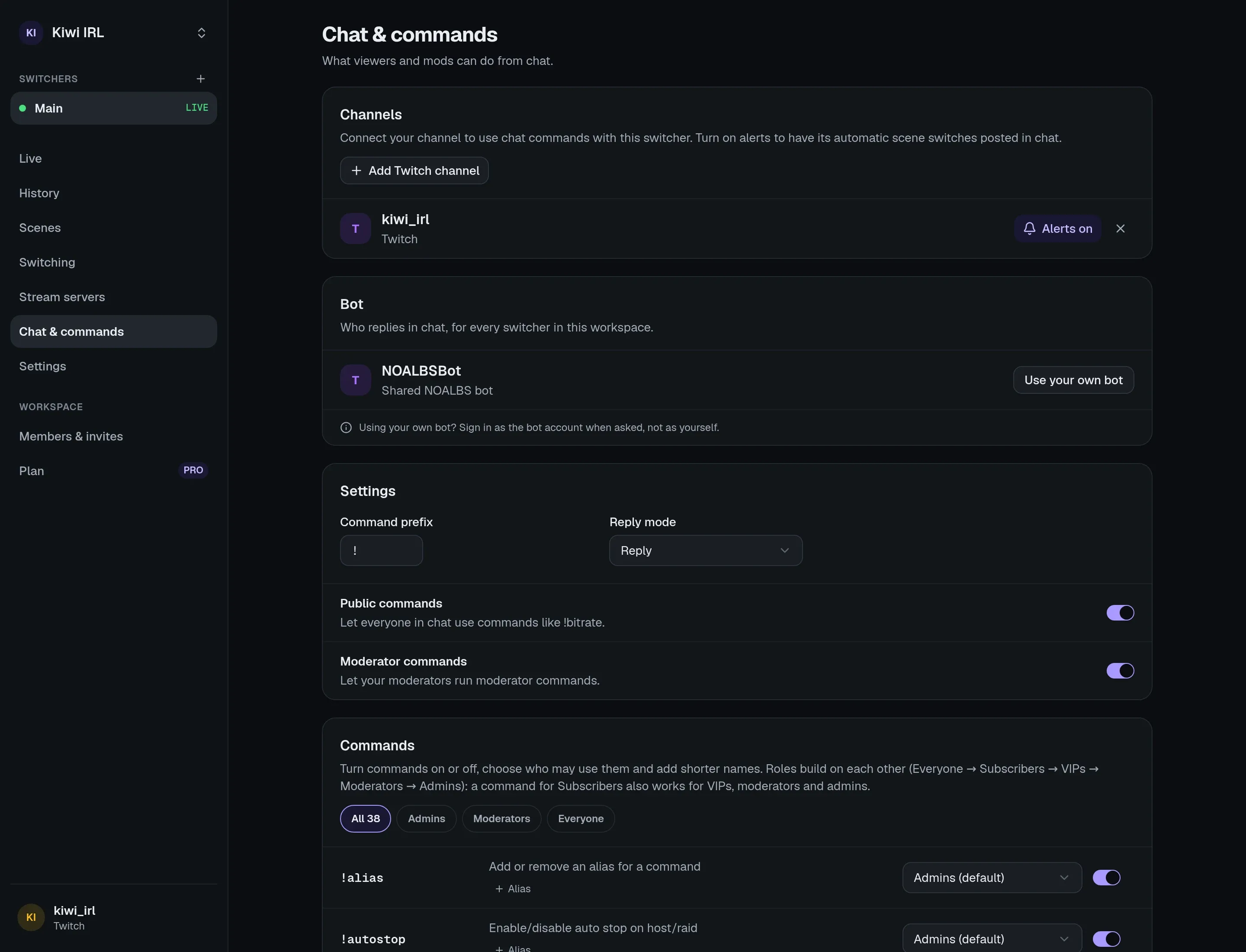
Connecting your channel
Section titled “Connecting your channel”On a switcher’s Chat & commands page, under Channels, press connect for your platform and sign in with the channel’s own account. That lets the NOALBS bot into its chat.
- One channel can drive several switchers, even in different workspaces: a command runs on all
of them, and replies start with
[switcher name]so you can tell them apart. - On YouTube, commands work while you’re live: the bot finds your live chat once OBS is streaming.
- If you remove NOALBS from your connected apps on the platform, the channel shows Needs reconnecting; connect it again to fix it.
Who replies
Section titled “Who replies”By default the shared NOALBS bot account replies. Plans with Own chat bot let a workspace connect its own bot account under Bot on the Chat page: sign in as the bot account, not as yourself. It speaks for every switcher in the workspace.
Who may use what
Section titled “Who may use what”Each command has a minimum role, and you can change it or turn the command off on the Chat page. From high to low:
| Role | Who |
|---|---|
| Admin | The broadcaster, and members of your workspace (by the platform account they signed in with). |
| Moderator | Moderators (including Twitch’s lead moderator). |
| VIP | VIPs. |
| Subscriber | Subscribers (including founders). |
| Public | Everyone. |
- Public commands off (
!public off): public commands need a moderator. - Mod commands off (
!mod off): the moderator badge doesn’t count, so moderators get the role of their other badges (VIP, subscriber), or Public. - Below moderator, each command has a 5-second cooldown.
- Ignored chatters (on the Chat page, or
!noalbs ignore <name>) can’t run anything. Other bots connected to NOALBS are always ignored.
Prefix, aliases and replies
Section titled “Prefix, aliases and replies”- The prefix is
!by default; change it on the Chat page or with!noalbs prefix <new>(1 to 3 characters). - Aliases are extra names for a command. New switchers come with
!b(bitrate),!f(fix),!ss(switch) and!bbm(bbs). Add more on the Chat page or with!alias <alias> <command>. - Replies answer the command’s message as a reply. Turn threaded replies off on the Chat page for plain messages.
What the bot says on its own
Section titled “What the bot says on its own”- Automatic switches, with Chat notification on (Settings → Switching): “Switched to LOW · BELABOX Cloud at 640 kbps”. Turn it off per channel on the Chat page.
- Raids, with Stop stream after a raid and Announce raids: that the stream stopped, with a link to the raided channel (Twitch and Kick).
- Stop when offline and Stop on the Ending scene: that the stream was stopped. These are always said in every connected channel.