
BELABOX
If your BELABOX is on BELABOX Cloud, NOALBS Cloud can show its modems and sensors, change its bitrate, and start or stop it, from the dashboard and from chat. This is optional and separate from switching: to switch on your BELABOX feed, add BELABOX Cloud’s stats URL as a stream server too.
Connecting
Section titled “Connecting”- In your BELABOX Cloud account, copy the BELABOX remote secret URL
(
https://remote.belabox.net/?key=…). - On the switcher’s Settings page, under BELABOX Cloud, paste it and press Connect BELABOX.
The key is stored encrypted and never shown again. Anyone with it can control your BELABOX, so keep it off stream. The connection runs while OBS is open with the browser source; the Setup page and the BELABOX card show its status.
On the Live page
Section titled “On the Live page”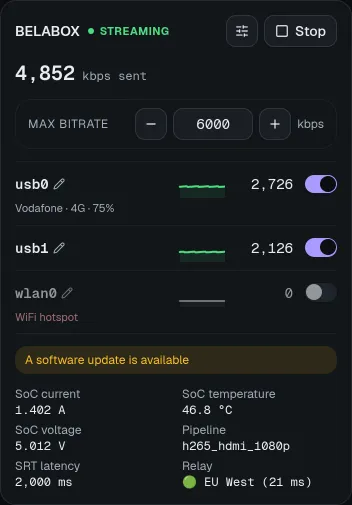
The BELABOX card shows whether it’s online and streaming, the total bitrate and each network interface’s share with a small chart, modem network and signal, its sensors (temperature, voltage, …) and its notifications.
People who can control the switcher also get:
- Start and Stop.
- Max bitrate: −/+ 250 kbps, or type a value. While the BELABOX isn’t streaming it’s kept for its next start.
- A switch per interface to turn it off or on. The last one can’t be turned off.
- Names for interfaces (
usb0→ “Phone 1”), so you and chat know which modem is which. A name follows the modem when it moves to another USB port.
Settings
Section titled “Settings”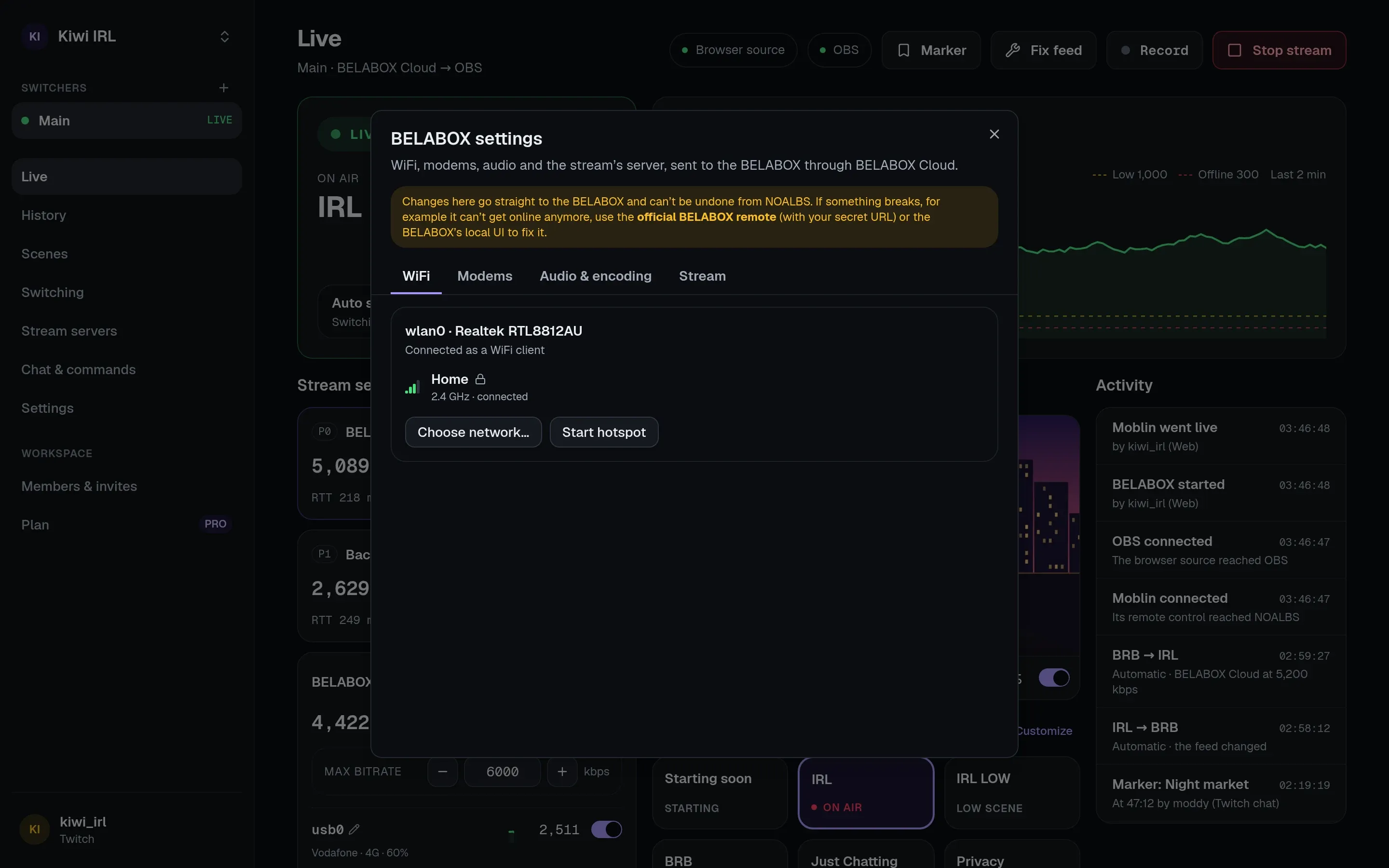
The settings button on the card opens BELABOX’s own settings, with tabs:
- WiFi: the network each adapter is on; choose another network (scan, connect, join with a password, forget), and the hotspot.
- Modems: network type, operator (after a scan, which takes the modem offline for a moment), APN and roaming.
- Audio & encoding and Stream: pipeline, audio source and codec, delay, SRT latency, relay server or your own address.
Stream and encoding settings can’t be saved on the BELABOX itself from outside: NOALBS keeps them and uses them the next time it starts the BELABOX. They’re locked while it streams.
Joining or forgetting networks and changing the hotspot or modems needs permission to manage the switcher, since they can cut the BELABOX off or involve passwords.
Start and stop with OBS
Section titled “Start and stop with OBS”On Settings → BELABOX Cloud:
- Start BELABOX with the OBS stream: when the OBS stream starts (from OBS, the dashboard or
!start), BELABOX starts with its saved settings. - Stop BELABOX with the OBS stream: when the OBS stream stops (from OBS, the dashboard,
!stop, a raid or a timeout), BELABOX stops too. Leave it off to keep it running.
Chat commands
Section titled “Chat commands”The belabot commands: !bbstart, !bbstop, !bbb [kbps], !bbt <interface>, !bbs (alias
!bbm) and !bbsensor. See chat commands. They stay
silent on switchers without BELABOX connected.